Do you remember the exact date when your bike insurance expires?
If the answer is no, you are not alone. Many bike owners purchase insurance and then forget to check the policy validity until renewal is due or they need the policy details.
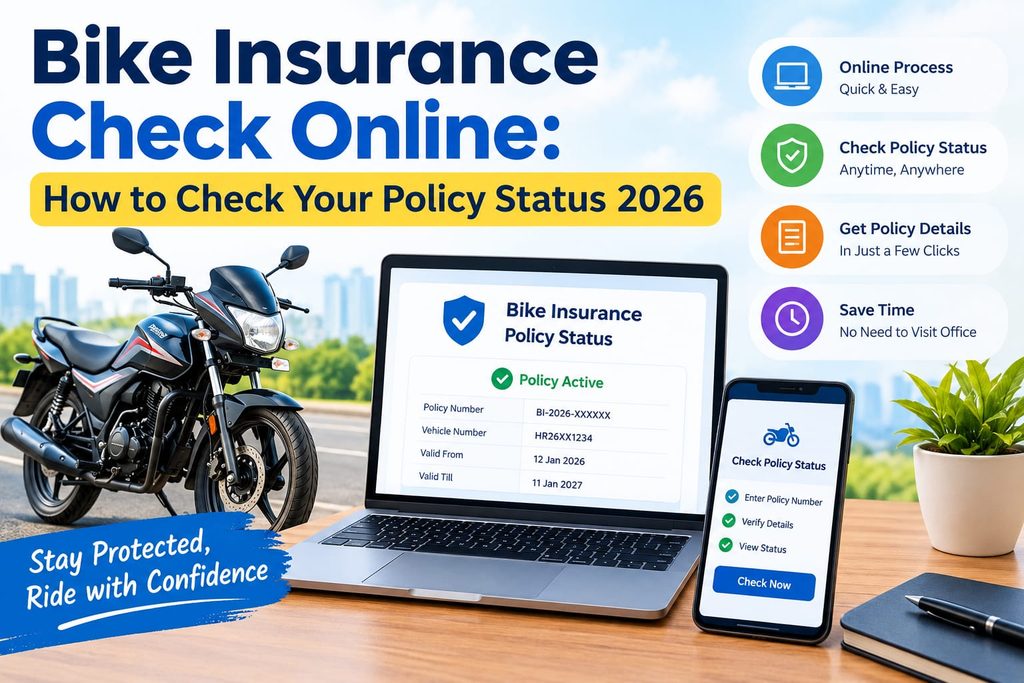
The good news is that you can check bike insurance online without visiting an insurance office. Depending on the service available to you, you can check your bike insurance status, validity and expiry date through government vehicle services, your insurance company’s website or app, or your existing policy document.
In this guide, we explain how to check bike insurance status online in 2026, what information you may need, what details you can verify and what to do if your policy has expired.
What Is Bike Insurance Status?
Bike insurance status tells you whether your two-wheeler insurance policy is currently valid or has expired.
Your insurance policy normally contains important information such as:
- Policy number
- Bike registration number
- Insurance company name
- Policy start date
- Policy expiry date
- Type of insurance coverage
- Premium details
- Insured vehicle details
Checking these details regularly can help you identify an upcoming renewal date and spot incorrect information in your policy.
Why Should You Check Your Bike Insurance Online?
A regular bike insurance check online can be useful for several reasons.
1. To Check Whether Your Policy Is Active
The first reason is simple: you want to know whether your bike is currently insured.
An online status check can help you verify the available insurance information associated with your vehicle.
2. To Check Bike Insurance Expiry Date
Knowing your bike insurance expiry date helps you plan renewal before the existing policy ends.
You can also check the expiry date in your policy document or through your insurer’s digital services.
3. To Avoid a Lapse in Insurance
If your policy expires and you do not renew it, you may have a gap in coverage. Checking your policy status before the expiry date gives you time to arrange renewal.
4. To Verify Policy Details
You can compare the information shown online with your policy document, such as your vehicle registration number, insurer and validity dates.
If you notice an error, contact your insurer and request clarification or correction.
How to Check Bike Insurance Status Online in 2026
There are several ways to perform a bike insurance validity check online.
The exact information displayed can vary depending on the platform and the availability of records.
Method 1: Check Through Government Vehicle Services
Government vehicle-service platforms can be used to access vehicle-related information.
You can visit the official Parivahan/VAHAN services and follow the available vehicle-information process.
Generally, you may need your bike’s registration number and other requested details.
After accessing the available vehicle information, look for the insurance-related information shown for your vehicle.
The official mParivahan service is operated under the Ministry of Road Transport & Highways and provides access to vehicle-related services.
Tip: Always use the official government website or app when checking vehicle information instead of entering personal details on an unknown website.
Method 2: Check Through Your Insurance Company’s Website
If you know your insurer, checking directly through its official website is another convenient option.
Most insurers provide online policy-management facilities where customers can access their policy information.
The usual process is:
- Visit your insurance company’s official website.
- Open the motor or two-wheeler insurance section.
- Select the policy-login or policy-management option.
- Enter the requested details.
- Open your bike insurance policy.
- Check the policy status and expiry date.
The exact steps can differ between insurance companies.
Method 3: Use Your Insurance Company’s Mobile App
Many insurers also provide mobile applications.
If you have already registered your mobile number with the insurer, you may be able to access your policy through the app.
Depending on the insurer, you may find:
- Policy number
- Policy validity
- Renewal date
- Vehicle details
- Policy documents
- Premium information
- Renewal options
This can be particularly useful when you want to check your policy quickly from your phone.
Method 4: Check Your Bike Insurance Policy Document
Don’t forget the simplest method.
If you have a digital or physical copy of your insurance policy, open the document and look for the policy period, start date and expiry date.
For example, if your policy period is mentioned as 15 September 2025 to 14 September 2026, the policy’s stated expiry date is 14 September 2026, subject to the terms of that policy.
If you recently renewed your insurance, always check that you have received the updated policy document.
How to Check Bike Insurance Expiry Date Online
The bike insurance expiry date is one of the most important details to verify.
You can generally check it through:
- Your insurance policy document
- Your insurer’s website
- Your insurer’s mobile app
- Available government vehicle-service platforms
If you do not have your policy document, start by checking your insurer’s official digital services.
Government vehicle-service platforms may also show available insurance-related vehicle information. Current guides from insurers and automotive websites commonly recommend checking through the insurer, VAHAN/Parivahan or other applicable official channels.
What Information Do You Need to Check Bike Insurance?
The information required depends on the platform you use.
You may be asked for:
- Bike registration number
- Policy number
- Registered mobile number
- Email address
- Chassis or vehicle details
- Other verification information
For a bike insurance check by vehicle number, your registration number is commonly the starting point on supported vehicle-information services.
Always enter your details carefully and use trusted websites or apps.
What Details Should You Verify?
Checking only the expiry date is not enough.
When you access your policy, verify the following information.
Policy Number
Check that the policy number matches the policy document issued by your insurer.
Registration Number
Make sure your bike’s registration number is correct.
Policy Start Date
Verify when your current insurance coverage began.
Policy Expiry Date
This tells you when your current policy period ends.
Insurance Type
Check whether you have third-party, comprehensive or standalone own-damage coverage.
Insurer Details
Make sure the insurance company information is correct.
Vehicle Details
Check important vehicle information and contact your insurer if something appears incorrect.
What If Your Bike Insurance Has Expired?
If your bike insurance status shows that the policy has expired, do not assume that your old policy continues automatically.
Contact your insurer or use its official online renewal service to understand the renewal process.
Before renewing, check:
- Existing coverage
- Policy expiry date
- Premium
- Required add-ons
- Vehicle details
- No Claim Bonus, if applicable
- Policy terms and exclusions
If you are renewing after a lapse, the insurer may have additional requirements depending on the circumstances and policy terms.
How to Renew Bike Insurance Online
Once you know that your policy is approaching expiry, you can start the renewal process.
A typical online renewal process is:
Step 1: Visit the Insurer’s Website
Go to your existing insurance company’s official website.
Step 2: Select Bike Insurance Renewal
Look for the two-wheeler or bike insurance renewal option.
Step 3: Enter Your Details
Provide the required registration, policy or customer details.
Step 4: Review Your Policy
Check coverage, premium, policy period and available options.
Step 5: Make the Payment
Complete the payment through the available online payment method.
Step 6: Download the Policy
After successful renewal, download and save your updated policy document.
Always check the new policy details after renewal rather than assuming everything has been updated correctly.
Common Mistakes to Avoid When Checking Bike Insurance
1. Checking Only When an Accident Happens
Do not wait until you need to make a claim. Check your policy periodically.
2. Ignoring the Expiry Date
Set a reminder before your policy expires.
3. Using Unofficial Websites
Avoid entering sensitive information on unfamiliar websites.
4. Not Checking Vehicle Details
An incorrect registration or vehicle detail should be clarified with the insurer.
5. Forgetting to Save the Renewed Policy
After renewal, download the updated policy document and keep a digital copy.
How Often Should You Check Your Bike Insurance?
There is no need to check it every day.
A practical approach is to check your policy:
- When you buy a new bike
- After purchasing or renewing insurance
- Before a long trip
- When buying a used bike
- A few weeks before the expiry date
- Whenever you cannot find your policy document
Regular checks can make it easier to keep track of your insurance and renewal date.
Bike Insurance Check Online vs Policy Document
Both methods have their own use.
| Method | Useful For |
|---|---|
| Online vehicle services | Checking available vehicle/insurance information |
| Insurer website | Accessing policy and renewal information |
| Insurer app | Quick mobile access |
| Policy document | Checking complete policy terms and dates |
For detailed coverage information, the actual policy document remains important because an online status screen may not display every policy term or exclusion.
Frequently Asked Questions
How can I check my bike insurance online?
You can check your bike insurance through your insurer’s official website or app and through applicable government vehicle-service platforms. You may need your registration number or policy details.
How can I check my bike insurance expiry date?
You can check the expiry date on your policy document, through your insurer’s website or app, and through supported vehicle-information services.
Can I check bike insurance using my vehicle number?
Yes, supported vehicle-information services can allow you to retrieve available insurance-related information using your vehicle registration number.
How do I know if my bike insurance is active?
Check the available policy status and validity information through your insurer or an applicable official vehicle-information service. You should also verify the policy dates on your current policy document.
What should I do if my bike insurance has expired?
Contact your insurer and check the available renewal process. Do not assume that an expired policy continues to provide the same coverage.
Can I check my bike insurance without the policy number?
In some cases, yes. Certain vehicle-information services can use your registration number, while an insurer may provide other ways to retrieve your policy. The exact requirements depend on the service.
How can I download my bike insurance policy?
If your insurer provides online policy access, log in through its official website or app and look for the policy-download option. You can then save the digital copy for future use.
Is checking bike insurance status online useful before renewal?
Yes. Checking your policy before renewal lets you verify the expiry date and review the available policy details before renewing.
Final Takeaway
A regular bike insurance check online can help you keep track of your policy status, validity and expiry date. You can use your insurer’s website or app, your policy document and applicable government vehicle-service platforms to verify the information available for your bike.
Most importantly, don’t wait until your insurance has expired. Check the bike insurance expiry date in advance, review your coverage and complete renewal through a trusted channel when required.
Keeping your policy information updated and easily accessible can make insurance management much simpler in 2026.